[2026-10-12] Greek Tax and AFM Number
This is the second post in my series on becoming a digital nomad in Greece.
This is a short guide on how to apply for a Greek Tax number as a Digital Nomad. This is also more commonly referred to as an Αριθμός Φορολογικού Μητρώου (Arithmos Forologikou Mitroou) (AFM) number.
The AFM number is a 9-digit code that uniquely identifies an individual in the Greek tax system. This number is required for a lot more than just paying tax... it's used for all kinds of official transactions, such as purchasing property, signing a rental contract, getting a driving licence, and opening a Greek bank account.
Here's an overview of this post...
- Hire an Expat Firm?
- Application Requirements
- Apply for AFM
- Identity Verification
- Receive Your AFM
- After Moving Residency to Greece
- Links & Resources
Disclaimer: This post does not provide formal advice. The procedures and requirements may change, please check official government sources. I accept no liability for any actions taken based on the contents of this post.
Hire an Expat Firm?
If you've done a little bit of research on this, you'll know there are plenty of expat, legal or accountant firms that will apply for an AFM number on your behalf.
There can be a few pros to this, the main one being they're experienced and will handle the application without much hassle. These firms can also apply for your AFM number while you're outside of Greece, so you can relocate with an AFM already in your back pocket so-to-speak. Applying yourself from abroad is technically possible, but it's more difficult and comes with a few extra hurdles that I won't go over in this post.
They'll also likely provide a tax representative to receive tax or legislation notices for you. Some firms even state that this is a requirement in order to receive your Taxisnet login details for myAADE (online tax platform [1,2]). But this is false! Since 2024, appointing a tax representative is optional [3], as long as you accept that notices are sent to your contact details and you can request your login details when you submit your application!
You will be required to pay a fee for this service. This is expected, but considering applying for your AFM number is free in most cases, you can easily avoid this charge.
It's also worth noting that your Taxisnet credentials are what you use to log in to the myAADE portal, which is where all the online tax services now live [3,4]. So I'll only refer to it as myAADE from now on.
I won't link or recommend any particular service here. Please do your own research; most firms will offer a free consultation before you commit to anything.
I didn't appoint a Greek tax representative during my application, I personally haven't found any need for one (even now) as I'm comfortable using the online platform myself. But it might be worth talking to a Greek accountant who can help you tackle the bureaucracy!
Application Requirements
Before starting your application, make sure you have the following to hand. Unless something unusual applies to you, the list is pretty simple!
Identity Document
As a non-resident foreign national this will most likely be your passport [3]. You'll need to upload a scan of it with your application, and show the original during identity verification.
Personal Details
You'll need an email address as your application number, AFM and login details will all be sent here.
The Greek system keeps track of your family heritage, so you'll need to enter your mother's and father's full names into the application.
As you'll be applying with your residence set to abroad, you'll need your foreign address and your foreign tax identification number. In the UK, this is either your Unique Taxpayer Reference (UTR) or your National Insurance number.
Greek Phone Number
The application form doesn't accept international numbers or allow a country code, so you'll need a Greek phone number.
The easiest option is a prepaid SIM from a Greek mobile provider (e.g. Cosmote, Vodafone, Nova, or smaller providers like Frog Mobile). Note that Greek SIM cards must be registered with your passport, so its much easier to do this in person at a store.
I chose to go with Frog Mobile [12] as they had a physical store in Athens [13] that could set me up with a SIM card on the same day.
Device with Camera & Microphone
Only required if you're planning to verify your identity online through myAADElive [5]. See the Identity Verification section below for more information.
Additional Documents
Depending on your circumstances, you may need to attach extra supporting documents [3]. The most common one is if you declare yourself as married, you'll need to attach your marriage certificate. If you choose to appoint a tax representative there are also additional documents required, but your firm or representative will most likely handle this for you.
Any of these documents issued outside Greece must be legalised with an Apostille and accompanied by an official Greek translation to be accepted by AADE [3]. Note that the Apostille itself must be translated too!
In the UK, legalisation (paper-based apostille) can be done either through the official UK government website [9] (£45 per document and takes up to 25 working days to process). Or through a third-party service [10] which is typically more expensive (~£70-90 per document), but only takes a few days.
Once your document has been apostilled, it needs an official translation into Greek. This can be done by a certified translator registered with the Greek Ministry of Foreign Affairs. You can search the register online [11].
If you require a lot of these additional documents, or you are unsure, it's best to go through an existing firm to ensure they can legalise, translate, and submit everything on your behalf.
Apply for AFM
Now time to fill out your application and submit!
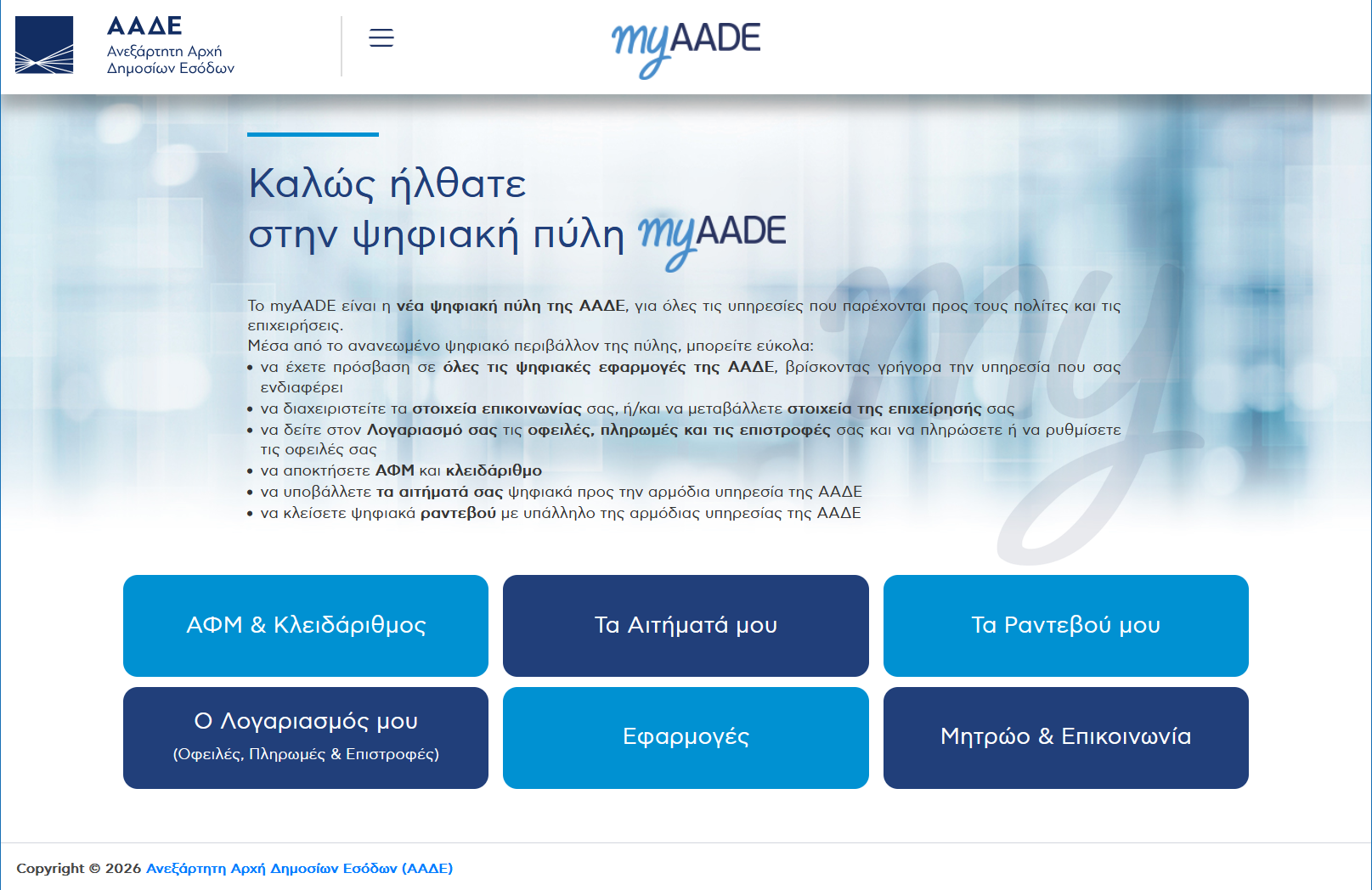
Head to myAADE [2] and click the top left button labeled "ΑΦΜ & Κλειδάριθμος" (this page may only show in Greek). For reference, this button translates to "TIN & Authentication Key".
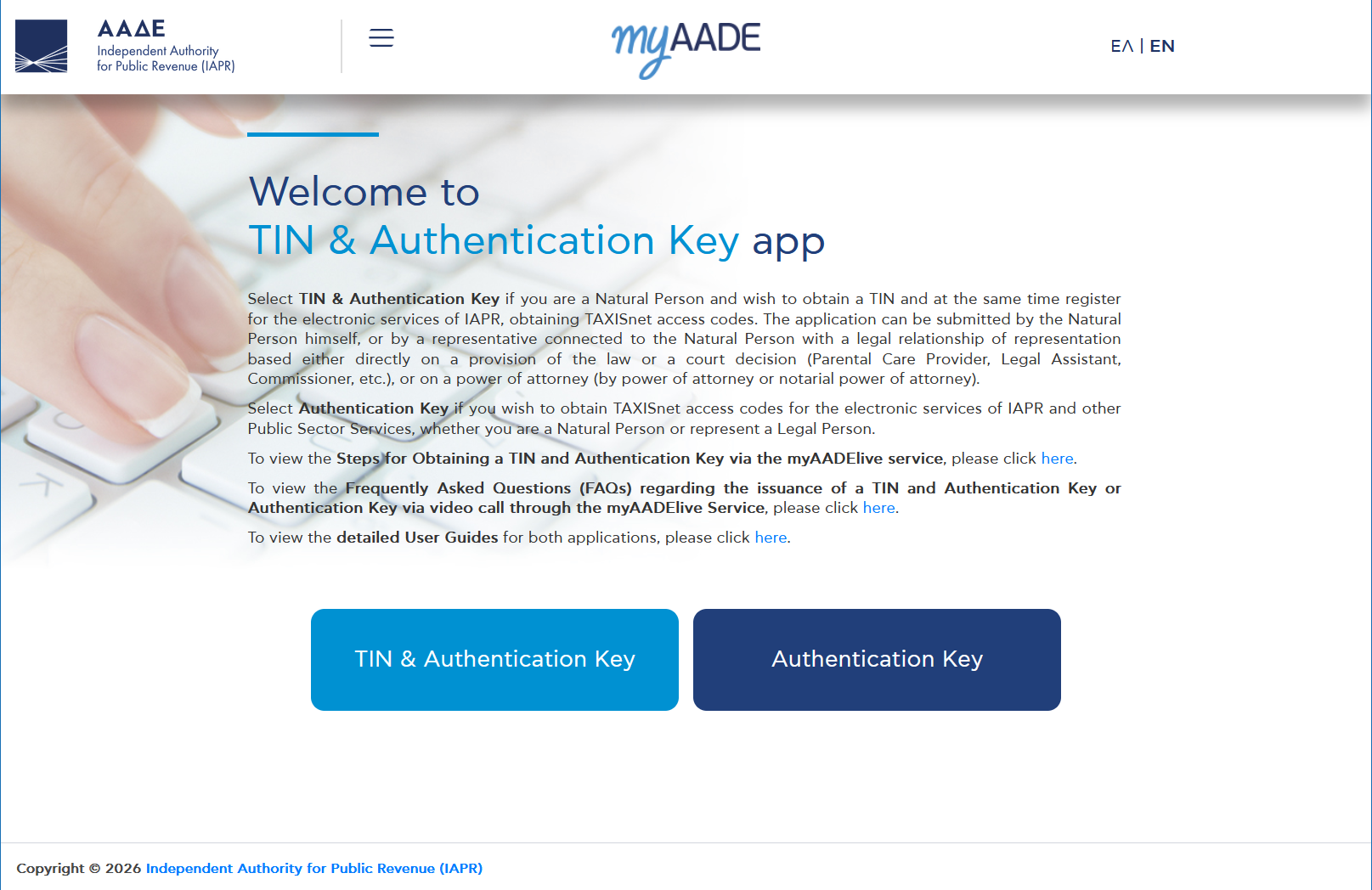
On this next page, click the "EN" button in the top right to change the language, this will persist throughout the rest of the application. All further screenshots and information will assume you're working in English.
Now proceed by clicking "TIN & Authentication Key", then "Act for myself".
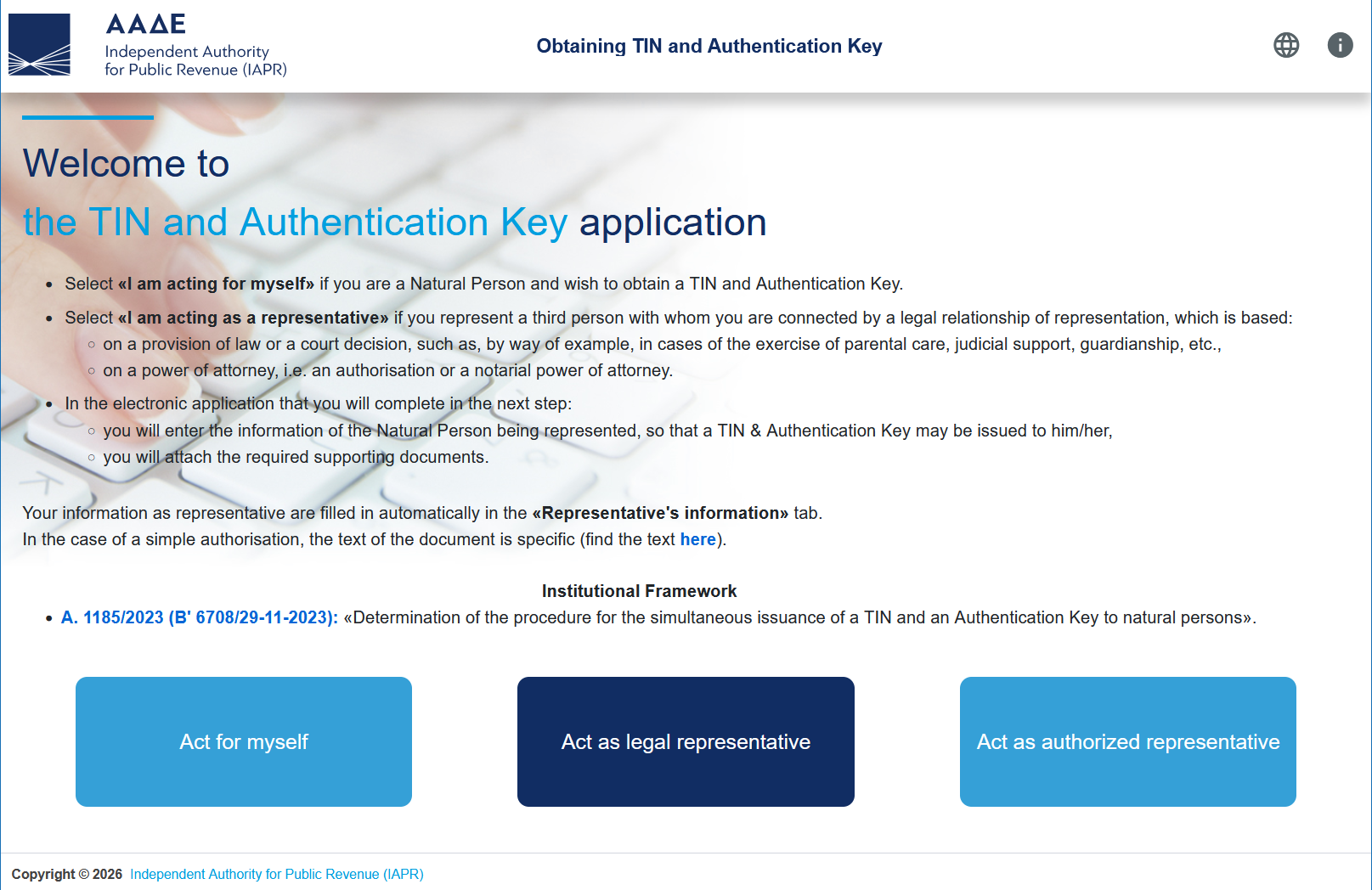
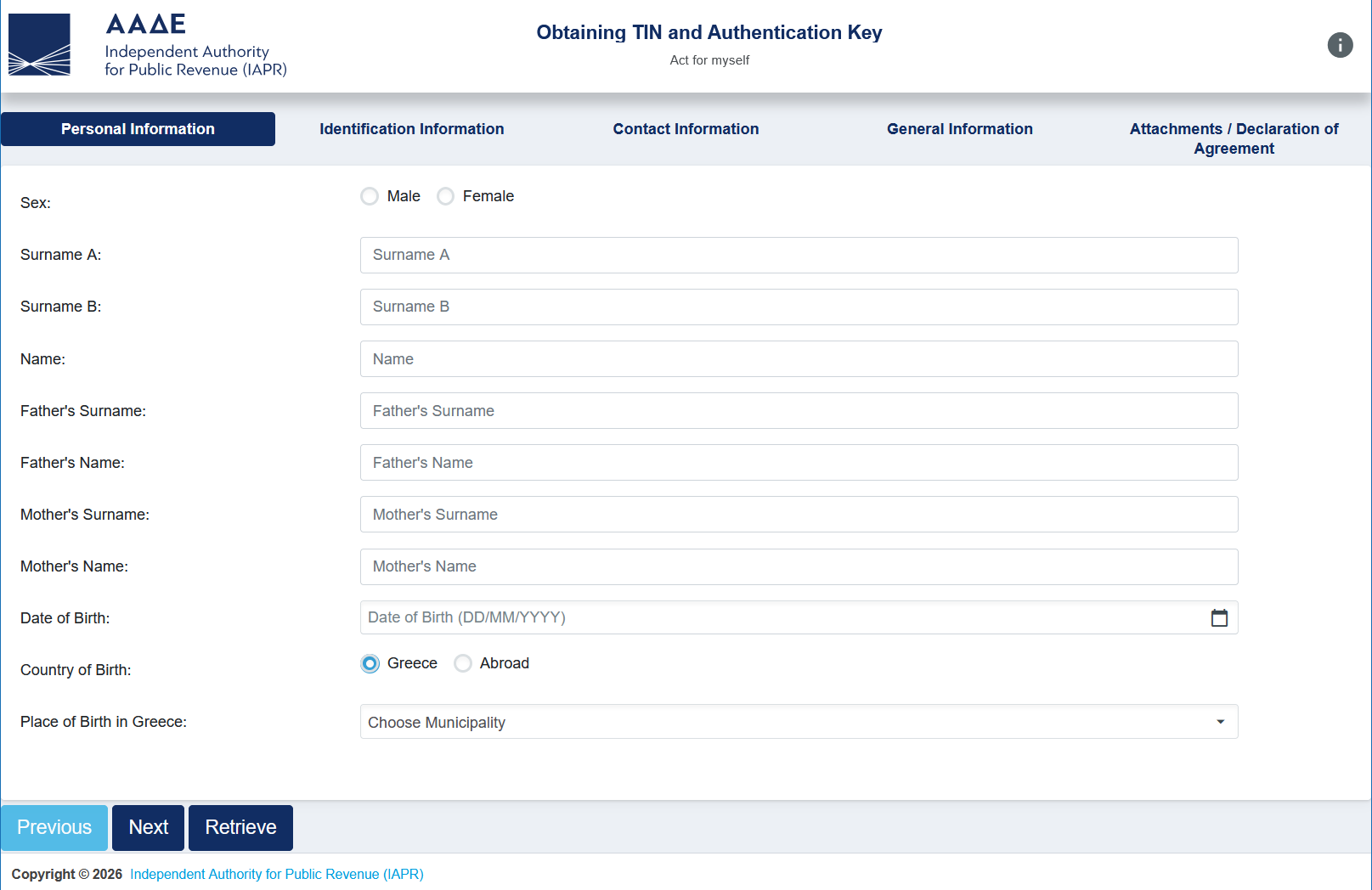
After proceeding through these pages, you should be sat in front of an application form with the following sections...
Personal Information
This is mostly self-explanatory, just fill in all your details!
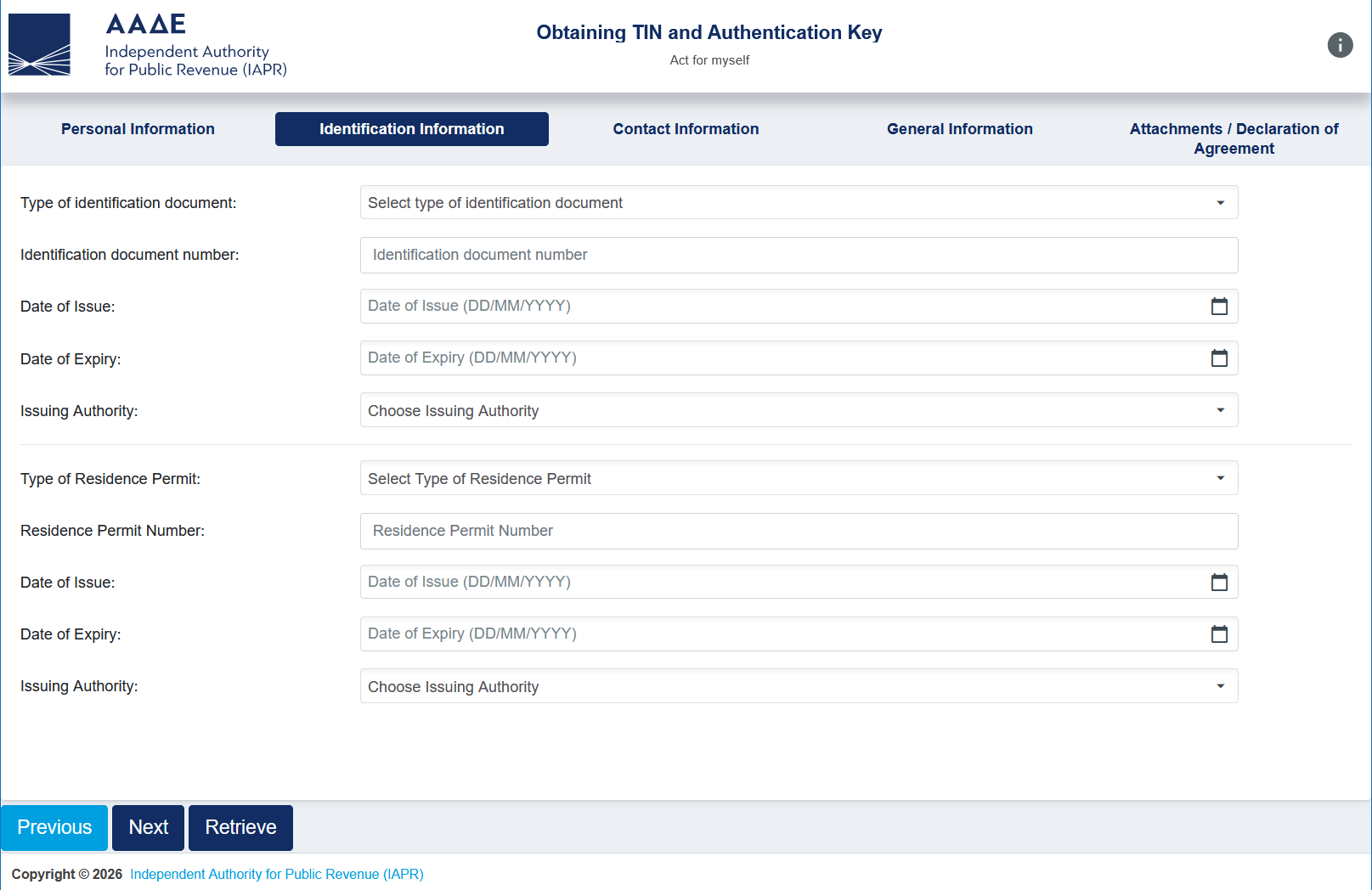
Identification Information
At the top of this section, fill in your ID details which is most likely your passport. Note that you'll need to upload a copy of this document at the end of this form.
The second half of this section refers to a Residence Permit. You can leave this empty if you don't have one!
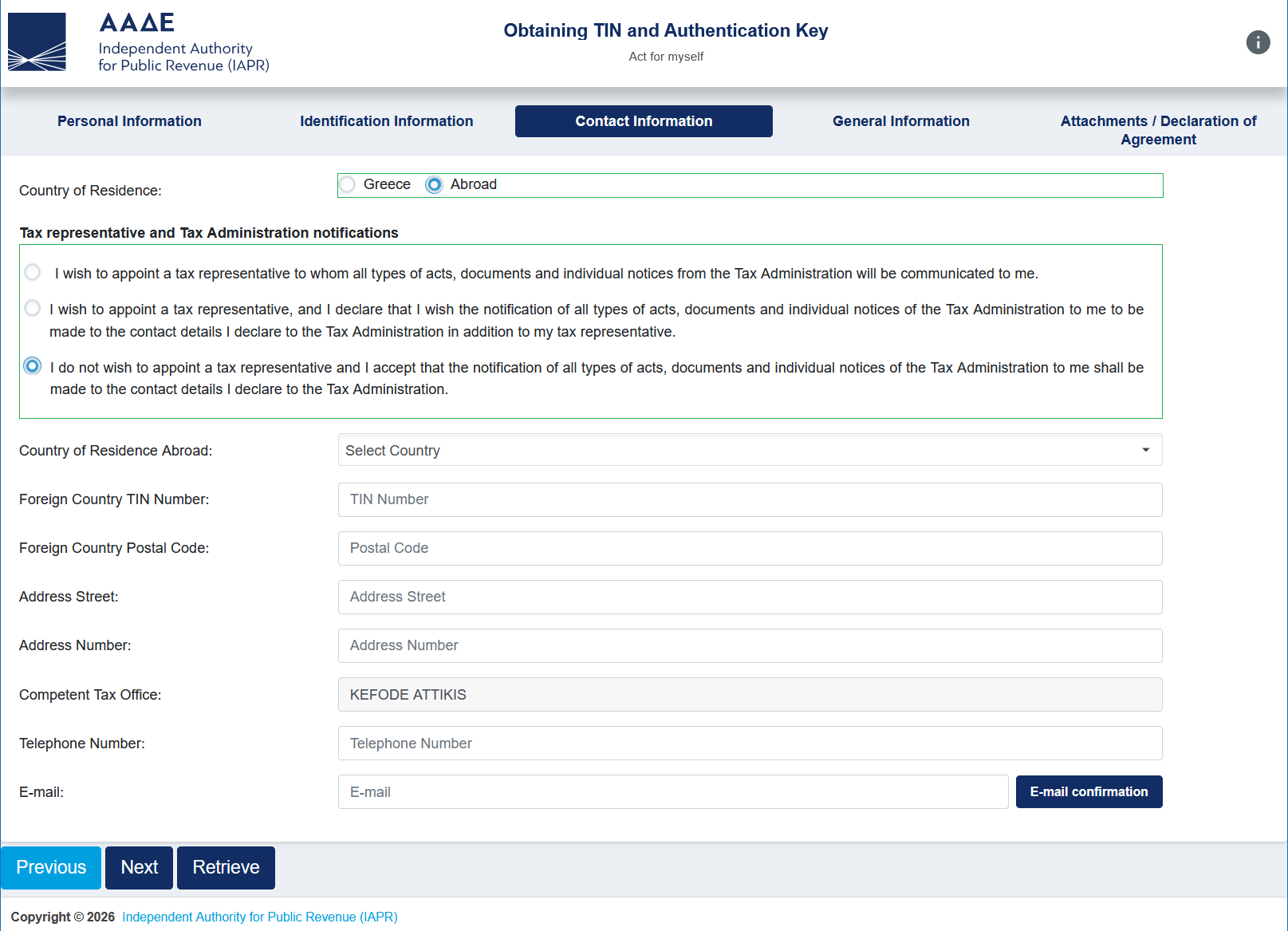
Contact Information
As a digital nomad, select "Abroad" as your country of residence as you'll need to provide your foreign tax information. You'll also require the AFM before you can officially move your residency to Greece anyway.
Select the tax representative option that best suits you and fill in the remaining information.
As your residency is set as abroad, it should automatically fill in the "Competent Tax Office" option for you (e.g. "KEFODE ATTIKIS").
You must enter a Greek telephone number on this page as you cannot enter country codes. Refer to the Application Requirements section above for more information on acquiring one.
When you enter your email address, press "E-mail confirmation" and enter the code sent to your inbox.
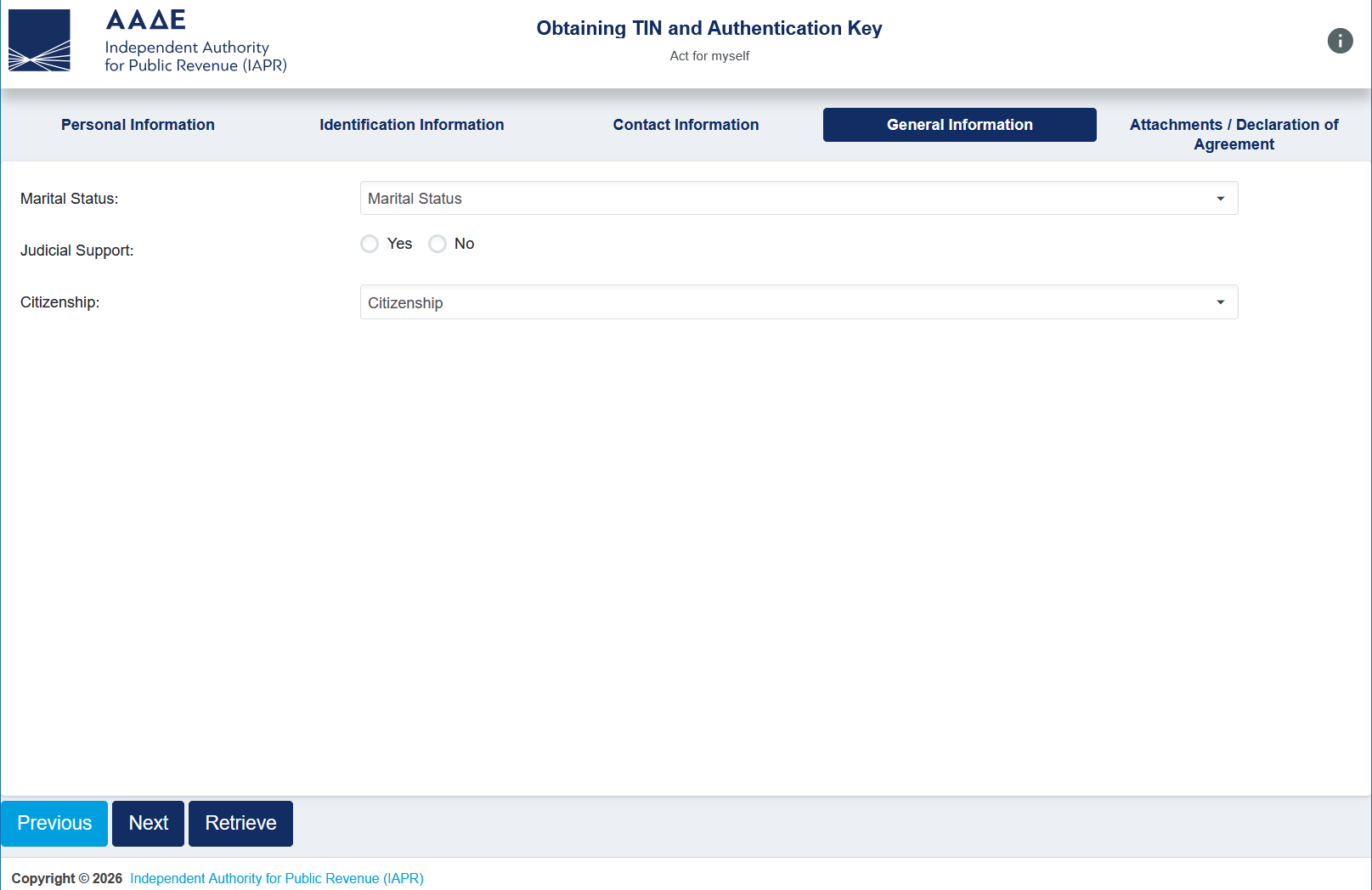
General Information
Fill in the remaining information on this page. "Judicial Support" refers to legal guardianship, most people will select "No" here.
If you declare yourself as married you'll need to attach your apostilled and translated marriage certificate. See the Application Requirements section above for more information.
Some entries in the Citizenship dropdown remain untranslated for whatever reason, so for example "British" is "VRETANIKI" instead. This is a little weird and you may need to pull up a translator to help!
Attachments / Declaration of Agreement
This is the final page. Fill in your desired myAADE username (if you leave this empty they'll provide a random one for you), and accept the declaration. Note that this declaration is a solemn declaration under Greek law, so ensure everything you've entered is true!
You'll also need to attach any necessary supporting documents here as well, such as a scan of your ID / passport. There's also a CAPTCHA at the bottom of the page to fill in before you can submit.
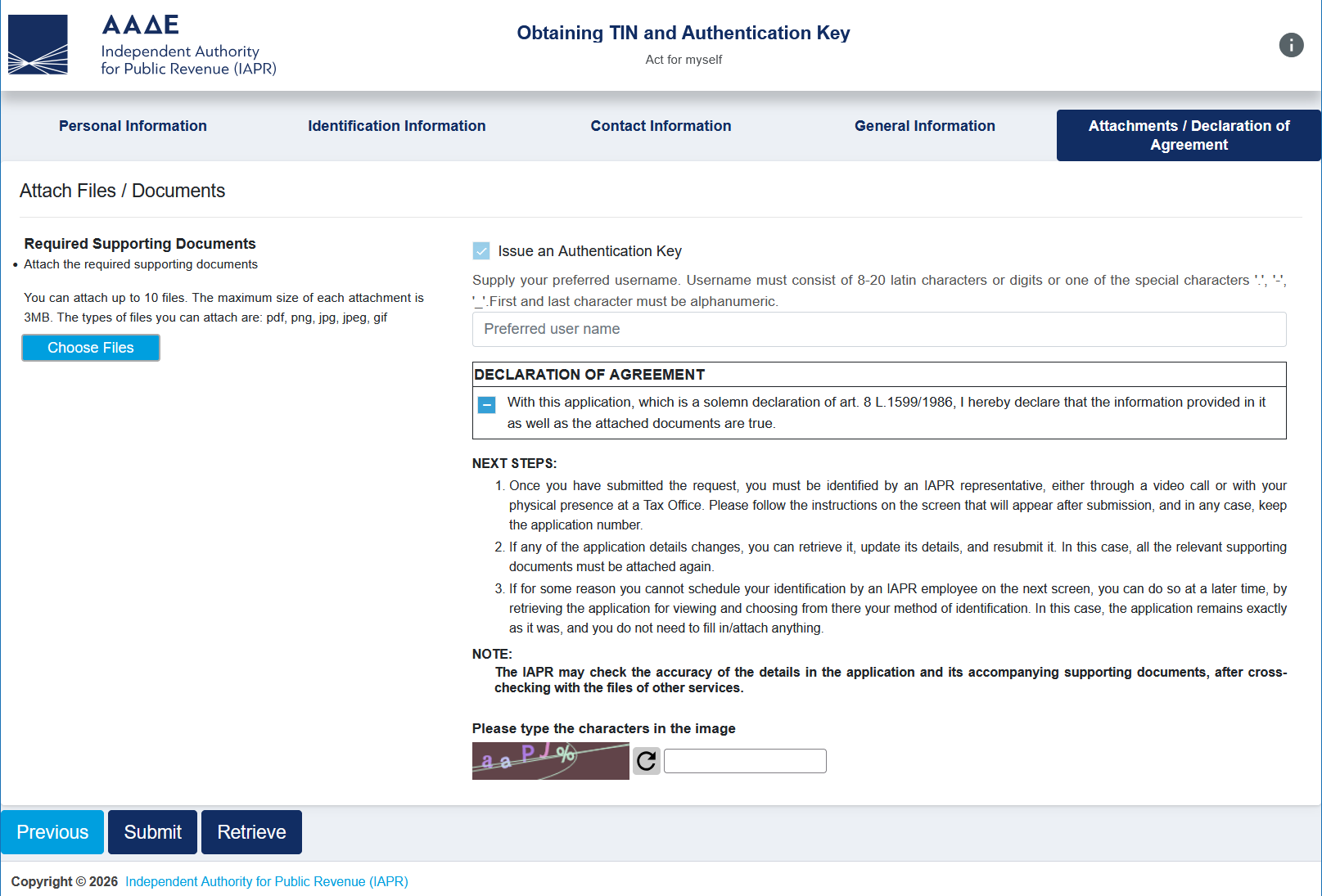
Finally click submit! You will receive an email with your application number, keep this safe as you'll require it in the next step.
Note it's possible to edit this application by going to "TIN & Authentication Key" > "Act for myself" > "Retrieve", entering your application number and ID / passport details.
Identity Verification
Once you've submitted your application you'll need to verify your identity with an AADE representative. This can be done either online through myAADElive [5] or in-person at a tax office.
Verify Online
After submission, you can either try connecting to the first available agent straight away or schedule a video call for a later date.
Unfortunately, I wasn't able to connect to an agent straight away and I couldn't find an available appointment. Availability seems pretty tight here! As I didn't go down this route, I can't exactly comment on the process, but the FAQ covers the process if you're interested [3].
Verify In-Person
The second option is an in-person appointment at a tax office. To find an office near you, either use the official list provided by AADE [6], or use Vrisko to see a map view of all offices in Greece [7].
At the appointment they'll require your application number sent to your email and will need to see your original ID / passport!
Receive Your AFM
After verifying your identity you will be issued with your AFM number. You'll receive an AFM certificate by email and/or printout (depending on your verification method).
You'll also receive your login details for the myAADE [2] platform: your username (the one you chose on the final page of the application, or a random one) and a temporary password.
Alongside these you'll receive an Authentication Key (Κλειδάριθμος). Your account can't be used until it's activated, so head to "TIN & Authentication Key" > "Authentication Key" > "Activate Account" and enter your username, temporary password and Authentication Key [3]. You'll then be asked to set a new password.
Keep your Authentication Key safe! You'll need it alongside your username if you ever forget your password [3].
That's it - you now have an AFM!
After Moving Residency to Greece
As you applied with your residence set to "Abroad", your AFM will be registered as a non-resident under KEFODE ATTIKIS. Once you officially move to Greece, don't forget to update your address and residency. This can be done online via "My Requests" > "New Request" > "Taxation" > "Registry" > "Changes in personal details" [3].
Links & Resources
[1] AADE
[2] myAADE
[3] FAQs for the issuance of TIN and Authentication Key or Authentication Key via video call from myAADElive service (pdf local archive)
[4] Development of a new unified Integrated Tax Information System of IAPR (el)
[5] myAADElive
[6] AADE - Tax Office Information (pdf local archive)
[7] Vrisko - Tax Offices Map Search
[8] AADE - my1521
[9] (UK Government) Get Document Legalised (apostille)
[10] (UK Government) List of Next Day Legalisation (apostille) Service Providers
[11] (Greek Government) Certified Translators Search (Ministry of Foreign Affairs Register)
[12] Frog Mobile
[13] Frog Mobile Store (Athens)